“I know I saved it.”
You remember the subject, the picture, maybe one word. What you do not remember is where it went.
Tack for Mac
Tack gives the scattered pieces of your life one place to become findable again.
A screenshot. A PDF. A photo. A half-written thought. A link you swore you would come back to. Put it in Tack, then find it later from the part your brain happened to keep.
The problem is not storage
The problem starts later, when you know you saved something but cannot remember which app, folder, tab, message, desktop pile or photo roll swallowed it.
You remember the subject, the picture, maybe one word. What you do not remember is where it went.
Notes in one app. Photos in another. PDFs in Downloads. Links in browser tabs. Context gets separated from the thing itself.
Later becomes tomorrow. Tomorrow becomes gone. The useful thing disappears before it ever becomes useful.
Your brain makes associations.
Tack makes associations retrievable.
Stop filing. Start finding.
Tack keeps unlike items side by side, so retrieval can begin with the clue you actually have: a word, an image, a person, a project, a fragment—or just a vague memory.
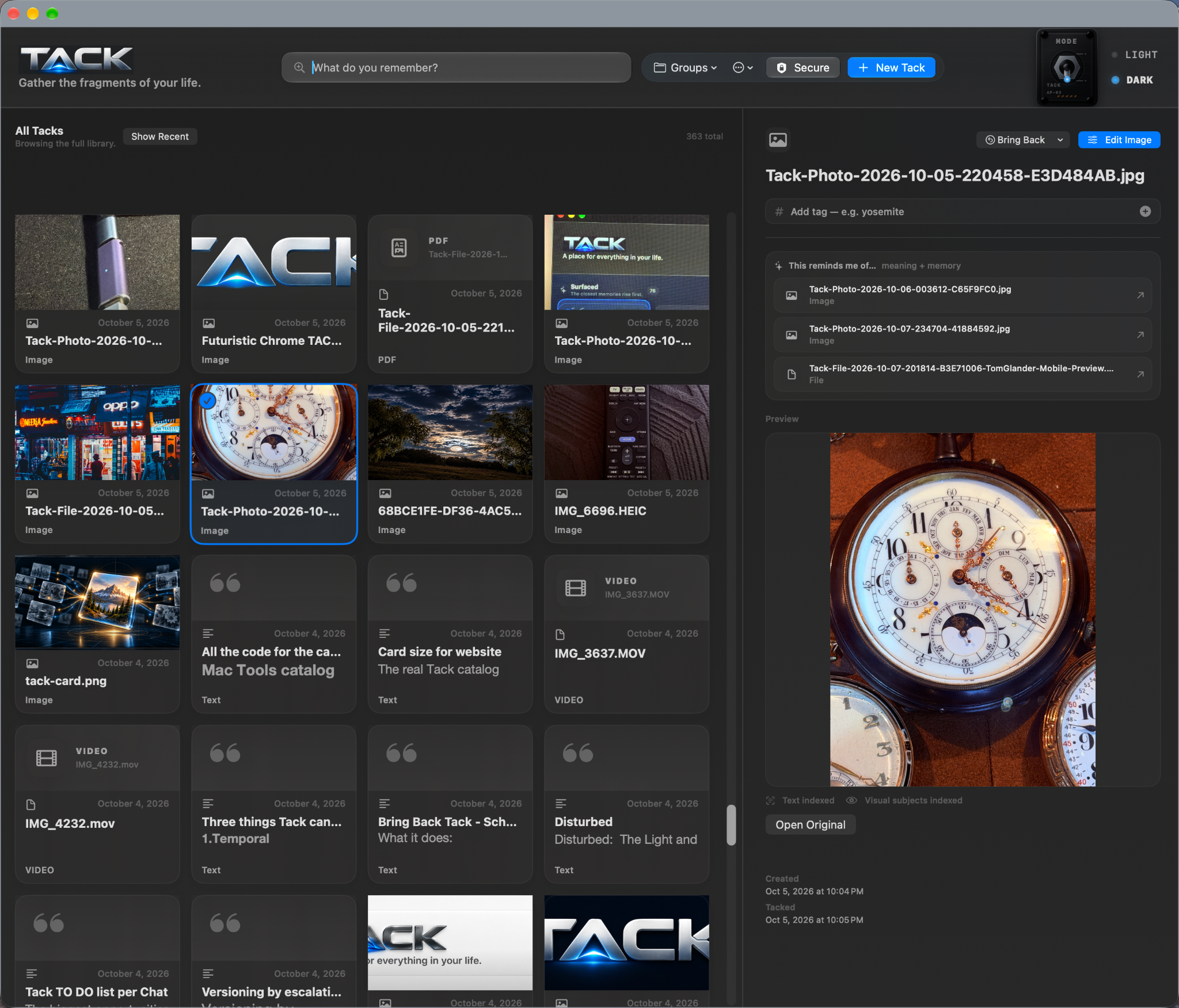
Every Tack becomes a visual object, so memory can start with recognition instead of a perfect filename or folder path.
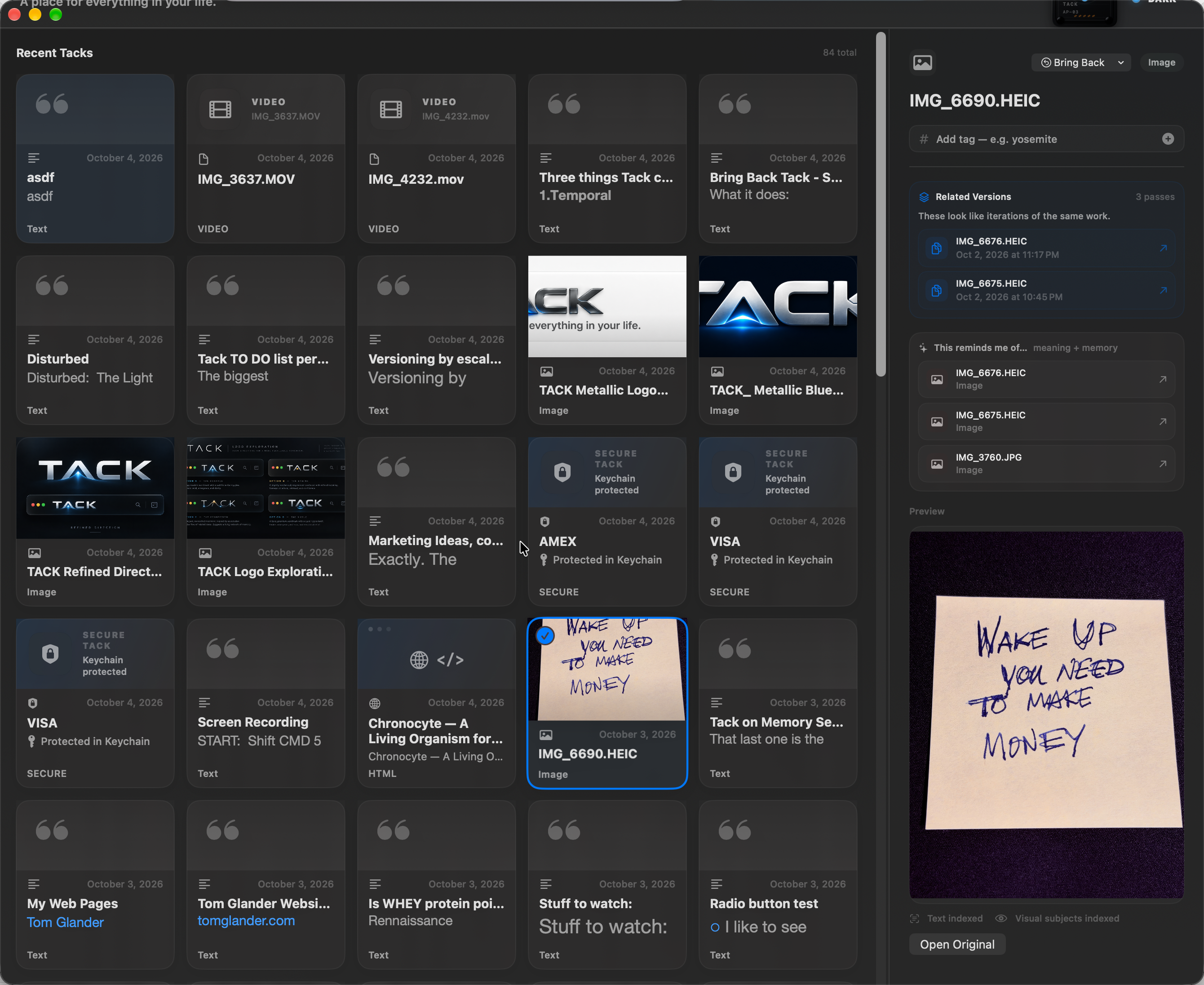
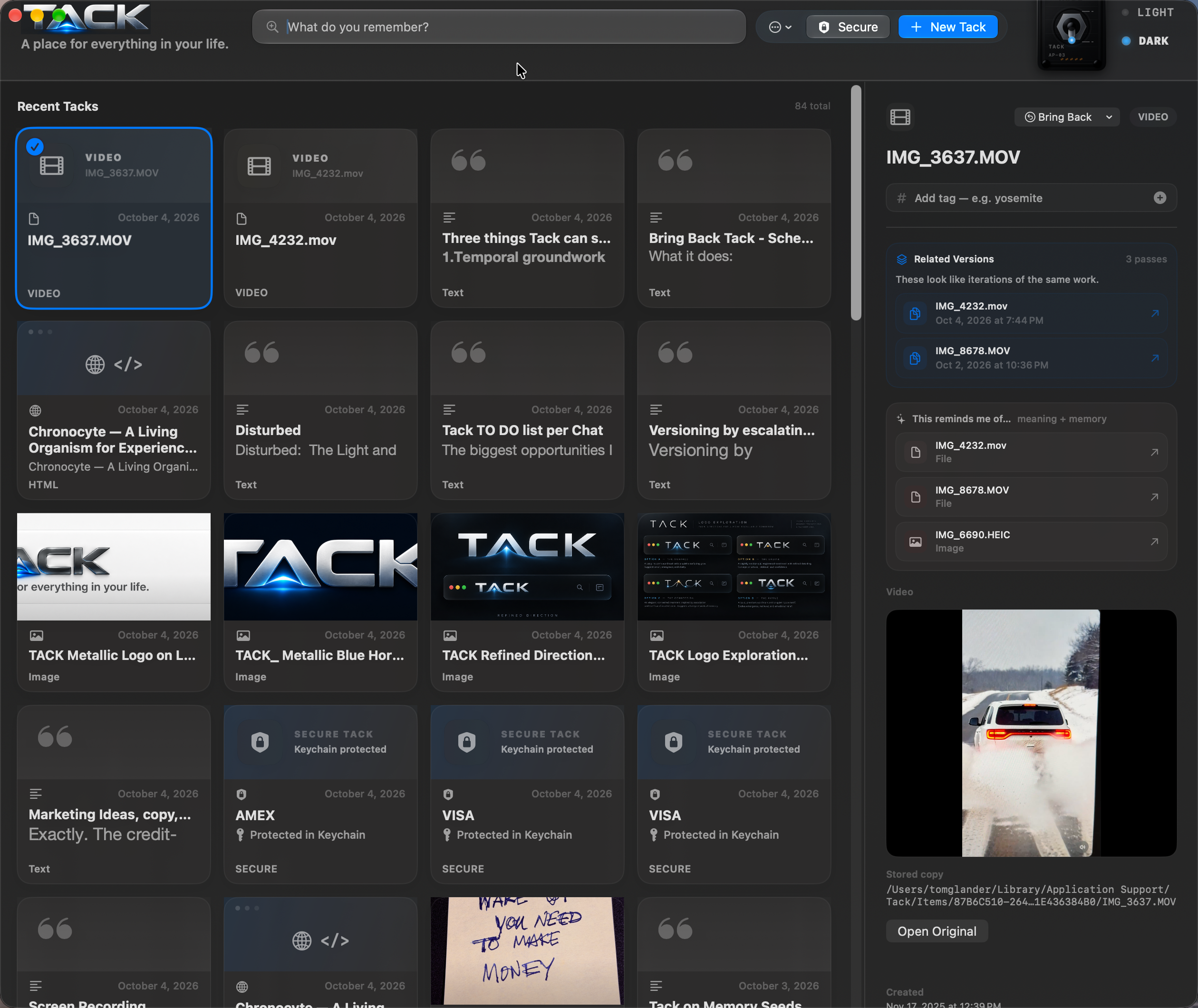
Select a Tack and its preview, metadata, notes and related material stay together in one focused view.
Drop in quick notes, snippets and half-formed ideas without deciding where they belong first.
The page can live beside the thought, image or project that made you care about it in the first place.
Preview images, PDFs, audio and video without bouncing through other apps and breaking your train of thought.
People without the filing
Finding every photo of someone should not become another job.
Teach Tack who a person is. Confirm the matches. From then on, just type their name.
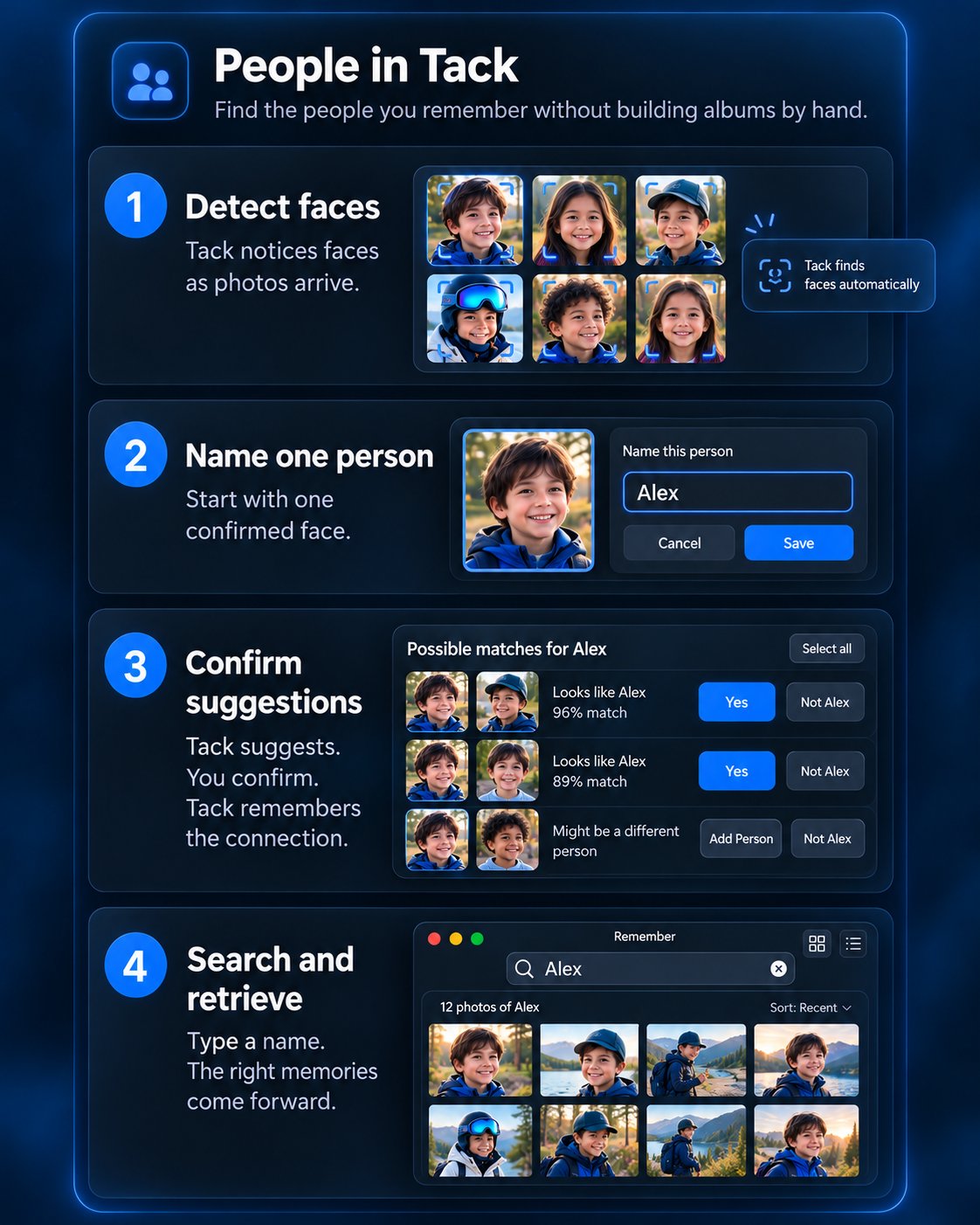
Synthetic demo people shown. No personal library content is used.
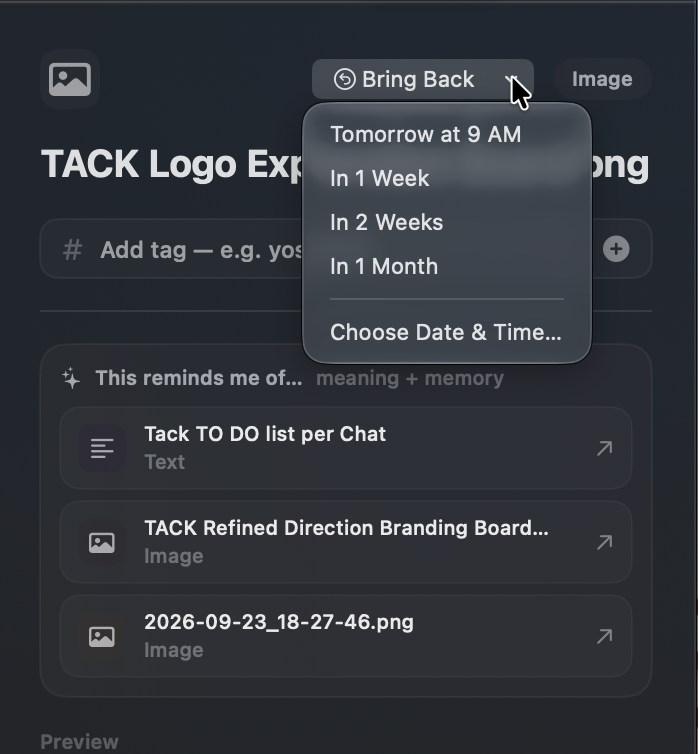
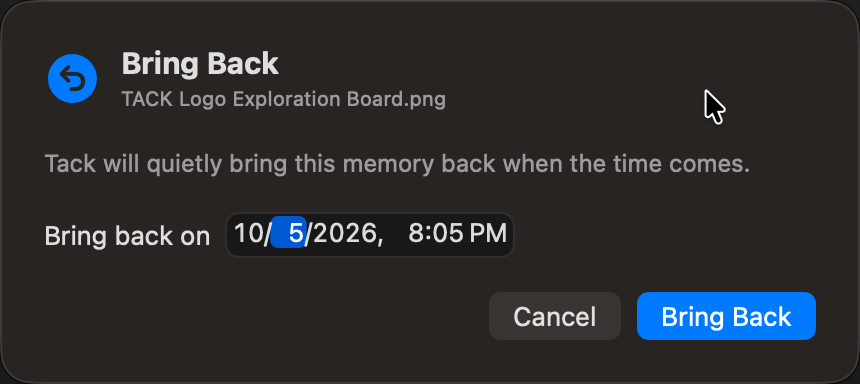
Bring Back
Some things matter—just not right now. Tell Tack when the actual memory should return, then let it leave your mental workload until the time comes.
No calendar archaeology. No sticky note about the sticky note. The thing itself comes back.
Then there is the rest of your life
That is where Tack Mobile comes in—not as another library to manage, but as the fastest way to catch something before the moment disappears.
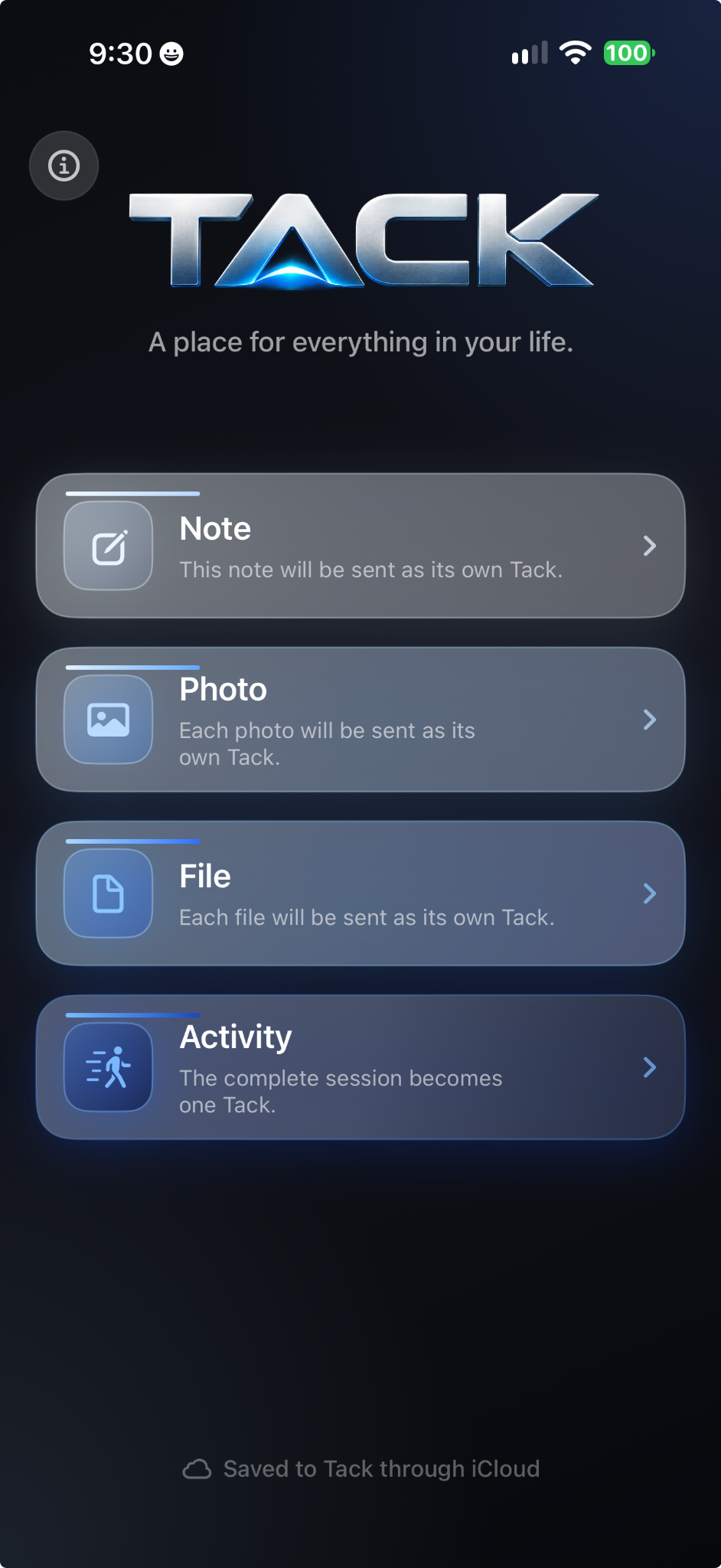
Tack on iPhone
Dictate the thought. Take the photo. Grab the file. Build a complete activity while you are out in the world. Tack Mobile saves it on your iPhone first, then your own iCloud carries it home to Tack on the Mac.
The goal is simple: eliminate the sentence “I’ll remember to deal with this later.”
Quiet by design
Dark or light, Tack keeps the working surface restrained so the thing you are trying to remember remains the center of attention.
Quiet and focused for long sessions.
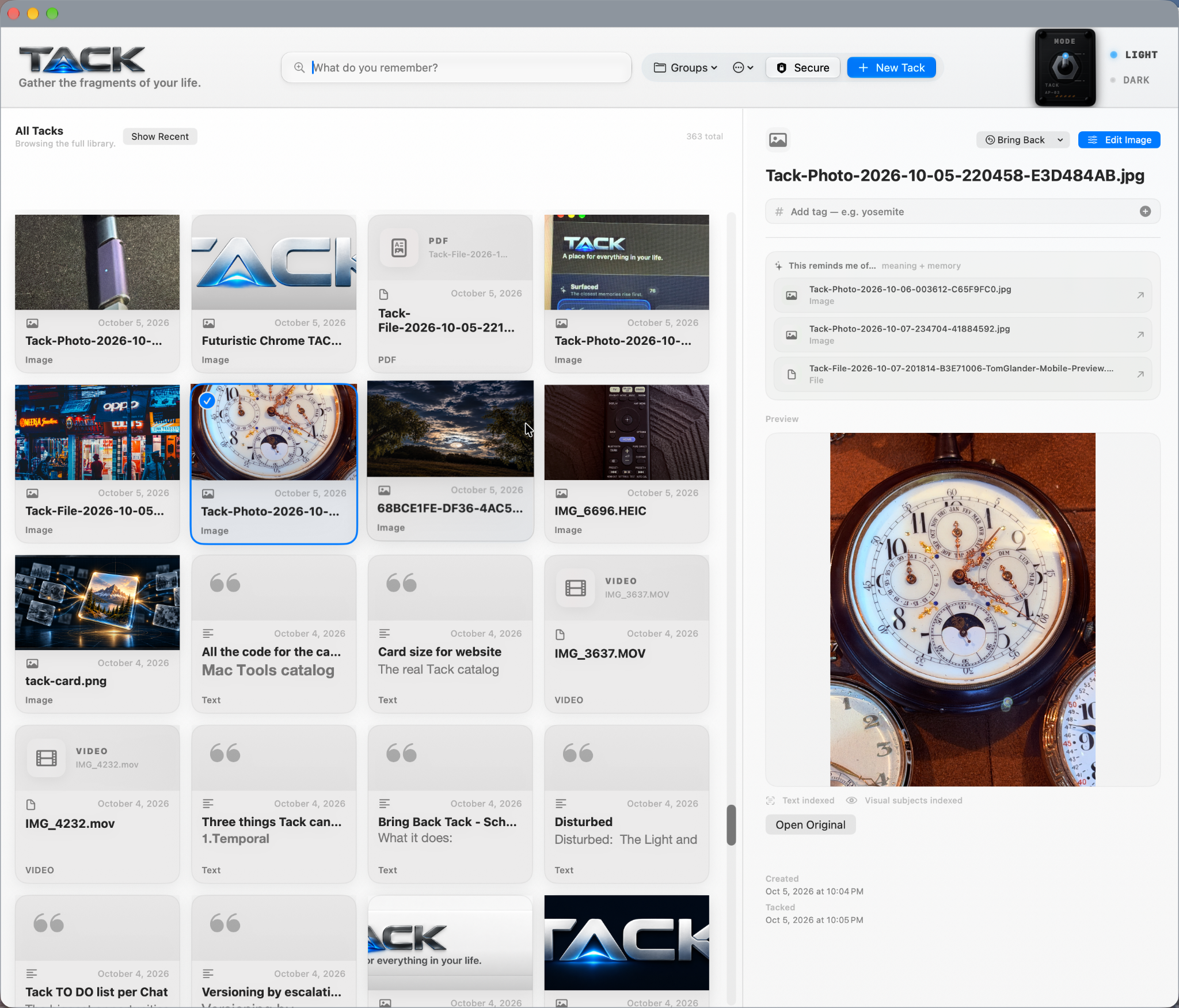
The same memory system with a brighter working surface.
Local first
Your Tack library is local-first on the Mac. iPhone captures save on the phone first, then use your own iCloud to travel home when a connection is available. No third-party cloud account is required to make your working memory system useful.

You only need to remember something about it.